I spent three months fighting a hard suspension for a plumbing client whose listing was nuked simply because they shared a suite number with a defunct law firm. Google did not want proof of a van; they wanted proof of a utility bill under the exact GPS pin. This battle taught me that the local search ecosystem is no longer about simple directories. It is a strict spatial database where a single misplaced digit can trigger an algorithmic filter. If you do not understand how physical locations are parsed by modern search platforms, your business listing is constantly at risk of being quietly suppressed or flat out suspended.
The modern map pack relies on strict geographical validation. The tools we use to establish this trust must be chosen carefully to prevent triggering automated spam detectors. Whether you are dealing with a service area company or a brick and mortar storefront, address accuracy is the foundation of your entire digital presence. This deep dive will break down how to establish bulletproof location signals that satisfy both machine learning models and human manual reviewers.
The hidden mechanics of physical address validation
To verify your business address without getting flagged, you must submit structured utility bills, register a commercial lease matching public records, and align your physical coordinates with official postal databases. Google Business Profile uses automated computer vision and third party geospatial databases to verify that your business storefront is a real, operational commercial entity before granting local pack visibility.
Many business owners do not realize that automated systems check your address against databases like USPS, commercial real estate records, and local business registries before sending a verification code. If your address is registered as a virtual office, a UPS store, or a shared coworking space without a dedicated physical suite, the system will flag the listing. Understanding why google flags real addresses as fake and how to fix it is your first line of defense against unexpected suspensions during setup or edits.
“Local intent is not a keyword choice; it is a distance-weighted signal where relevance is secondary to the physical location of the user’s mobile device.” – Map Search Fundamental
The system is designed to prevent map spam by looking for physical anomalies. If your business category is highly targeted by spammers, such as locksmiths or water damage restoration, the scrutiny on your address is multiplied tenfold. The system analyzes the exact building footprint. If the building footprint does not match the commercial volume expected for that address, an automatic flag is raised.
Why your physical address is a liability
Every physical address carries a hidden historical trust score that can directly affect your map pack search visibility and verification success rates. If a previous business at your location was suspended for spam or left behind bad credit histories, those negative trust signals linger on your physical coordinates.
When you register a new profile at an address that has seen multiple suspensions, the algorithm assumes you are simply renaming a spam listing. You must clean up this data residue. A thorough analysis of the step-by-step fix for duplicate google profile warnings can help resolve conflicts with old businesses still occupying your digital footprint. Ensuring your address does not overlap with defunct entities prevents the system from merging your reviews or triggering manual reviews.
We must also look at how your address matches across other online directories. If your website has mismatched location information, search crawlers get confused. If you want to know how bad data impacts rankings, read about why outdated business information is like poison for local seo. Keeping your NAP profile clean is a requirement for verification survival.
Local Authority Reading List
- Fixing Address Verification Issues Without Losing Your Reviews
- The Toolkit Needed to Move Your Pin Across the City
- How We Recovered a Flagged Listing in Under 48 Hours
- Why Your Local Map Presence Depends on Accurate Address Data
- The Strategy for Managing Multiple Storefronts Without Mixed Listings
The diagnostic steps to secure clean local data
Checking your address integrity before starting the verification process is the only way to avoid the dreaded manual suspension loop. You must confirm that your location is formatted correctly and that no other business is currently claiming your physical space in the directory databases.
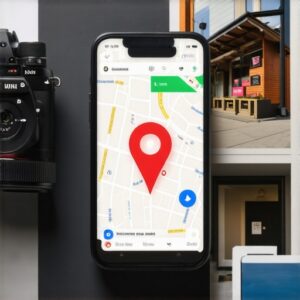
Start by searching your exact address on Google Maps with the satellite view enabled. Look at the existing pins. Are there other businesses registered to your exact suite? If you run a service area business and do not show your address, you must still ensure no other service businesses are using your home address. To understand the risks of overlapping service area profiles, review how to merge overlapping service area profiles for better reach to keep your targeting clear.
Next, search your phone number. Mismatched phone numbers across different locations are a common trigger for automated flags. If you have multiple locations with overlapping contact information, implement the multi-location fix for mixed up phone numbers in search to ensure clean, isolated data signals for each distinct storefront.
The physical evidence required for manual review
To pass a manual verification or a reinstatement review, you must provide clear physical evidence of your business operations at the registered address. This evidence must match the exact name, address, and phone number listed on your public profiles.
Google frequently asks for video verification. This is not a simple walkthrough. You must start the video outside showing your permanent signage, street number, and surrounding businesses. Then, you must walk inside, unlock your door, show your business tools, and open your utility dashboard on a computer. If you fail to prepare, you risk losing your listing. Learn the secret to passing google business profile reinstatement to understand what reviewers look for during these strict checks.
“Verification is no longer a automated postcard check; it is a forensic inspection of a merchant’s physical and digital footprint.” – Map Search Fundamental
If you are using a service business model, your work vehicle with permanent branding is your strongest asset. If you do not have a physical storefront, showing your branded tools and wrapped vehicle parked at your registered home address can bypass the strict storefront requirement. If you are struggling with a suspended profile, a professional google business profile recovery service after fake address suspension can help guide you through compiling the exact documentation required.
How to manage your listing after verification
Once verified, you must protect your listing from triggering secondary verification loops by avoiding frequent major edits to your core business data. Making sudden changes to your address, business name, or opening hours can immediately trigger an automated suspension.
Many businesses get verified and immediately change their name to include keywords. This is a massive mistake. If you recently edited your listing and saw your rankings drop or listing get flagged, you may need local seo services to normalize rankings after keyword stuffed business name edit. Keep your profile changes small and spaced out over time.
Even changing your business hours too often can look like suspicious behavior to the machine learning algorithms. For a deep dive on why this happens, read about why changing your business hours often triggers a ranking drop. Plan your updates carefully and keep your listing stable to maintain your hard earned authority.
Choosing the right tools for local optimization
Using the correct local tools is essential to maintain your profile health and monitor your local rankings across different neighborhoods. You need tools that track rank variations at the ZIP code and street level without triggering security blocks.
A proper local stack allows you to audit your business data, track review generation, and optimize your local landing pages. If you are comparing different platforms to manage your storefronts, check out a detailed gmb vs local listing tools comparison to find the best fit for your team. This keeps your local data synced without manual errors.
Finally, your landing page optimization plays a massive role in how search engines view your physical location. If your local landing pages are return errors, your map pin can drop. Learn why your local landing page is returning a soft 404 error to fix hidden technical issues that drag down your geographical authority.